
⚠️
Changing from a digital subscription to a print subscription? Make sure you add/update your shipping address after changing your subscription type!
- Login to the subscriber portal.
- Click the update subscription button.
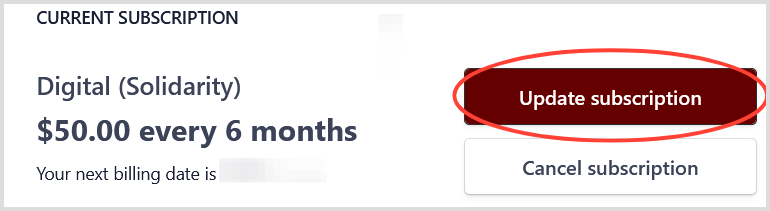
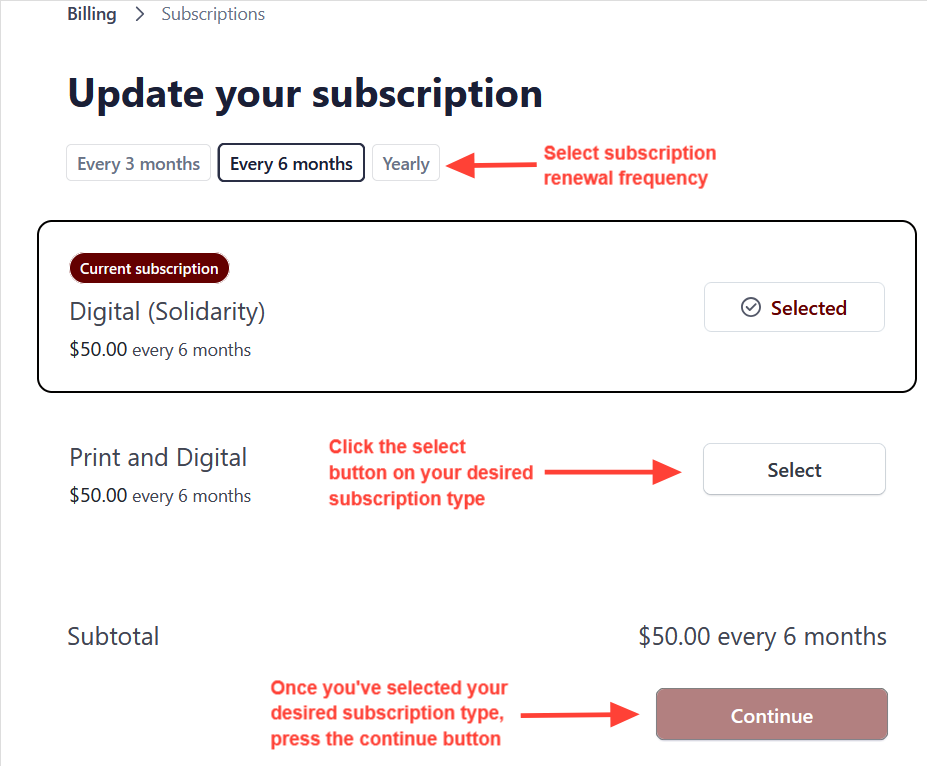
- Select your preferred subscription renewal frequency at the top of the menu.
- Click the select button next to your preferred subscription type and press continue to go to the confirmation page.
- Check that your selected subscription type is correct. Then click confirm.
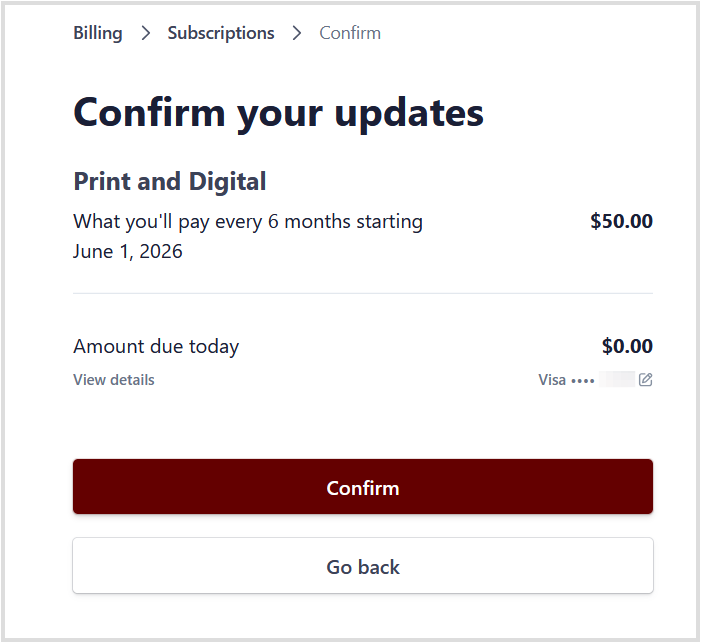
When moving to a more expensive subscription, the upgrade cost may need to be paid at this stage.
When moving to a less expensive subscription option, we may issue credits to your account for the time remaining on your existing subscription. These credits will automatically be used at your next subscription renewal.
If upgrade costs or downgrade credits seem incorrect, feel free to reach out to us at subs@redflag.org.au.
Need more help?
Contact us on subs@redflag.org.au or see more of our help articles.